Start with a plan

AI floor plan & IFC studio

A flat plan becomes a place you can see.

Upload a 2D floor plan or IFC model. AI builds the editable 3D space, furnishes the rooms and turns your chosen views into presentation-ready interiors or exteriors—without a chain of specialist handoffs.

  • Nothing to install
  • IFC2x3 & IFC4
  • GLB & OBJ exports
  • Generation charged only on success
Riverside apartment / Ground floor3D ready
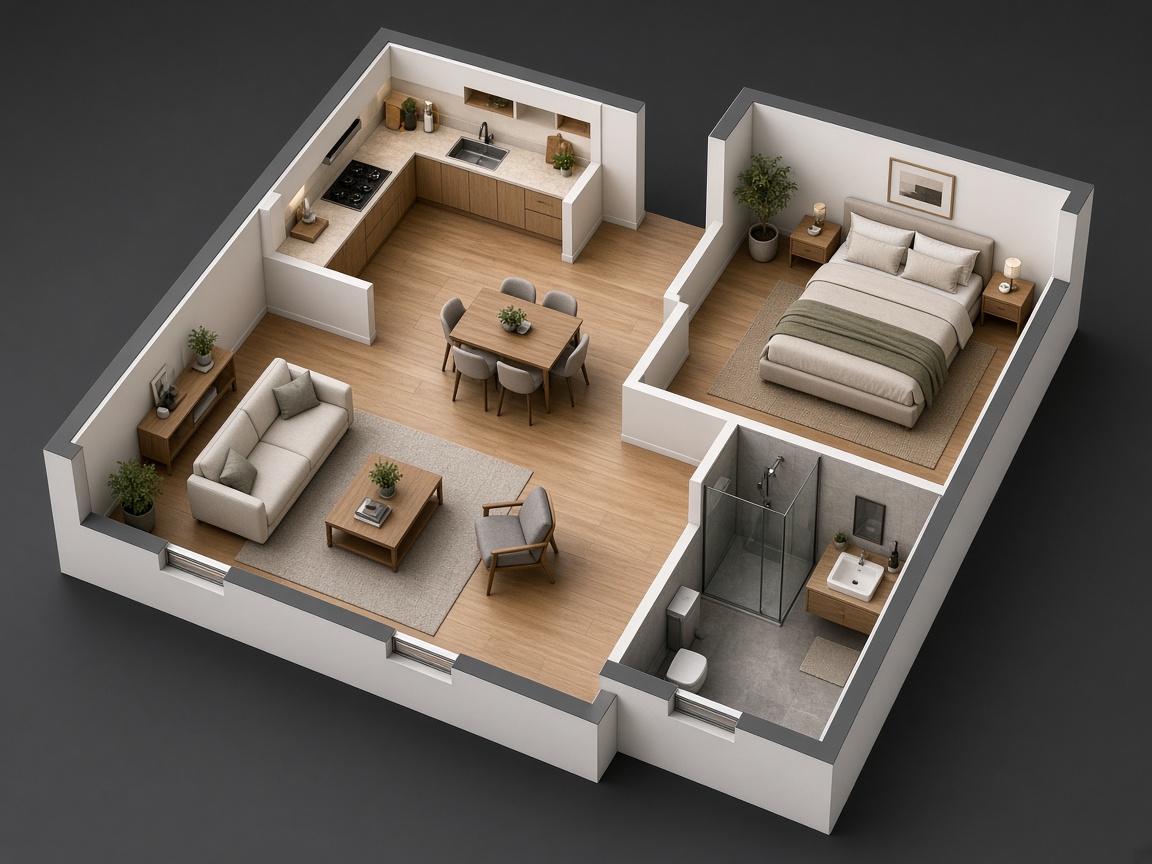
AI measured · 8 rooms
Furnished 3D cutaway apartment created from a floor plan
Live 3DFurnished
Start withPNGJPGWebPIFC2x3IFC4Leave withGLBOBJ1K–4K

One connected workspace

From source file to finished scene.

The model, editor, furnishing and final imagery stay connected, so you can move forward without rebuilding the same property in separate tools.

  1. 01

    Upload what you have

    Use a PNG, JPG or WebP drawing, or bring in a plain IFC2x3 or IFC4 building file.

  2. 02

    Let AI build the space

    For drawings, AI detects walls, doors, windows and rooms, sets the scale and creates the 3D model.

  3. 03

    Review and furnish

    Correct geometry, name rooms, place furniture yourself or furnish empty rooms with one AI action.

  4. 04

    Frame and enhance

    Choose a real camera angle, capture the view and create realistic interior or exterior imagery at the quality you need.

The workflow is designed for a sub-five-minute first staged view on clear, simple plans. Actual time varies with source quality, complexity and output.

Two ways in

Start from a drawing. Or start from BIM.

AIXpose keeps the workflow simple for a scanned apartment plan and detailed enough for an existing IFC building.

2D floor plan → editable 3D

Turn lines on a page into a space you can work with.

The vision model reads the drawing, measures its structure and produces an editable layout with a live 3D view. You review the result instead of tracing every wall from scratch.

  • Walls, doors, windows and room boundaries
  • Original drawing stays visible for alignment
  • New model versions keep every saved adjustment
Measuring geometry
IFC → presentation workflow

Use the building model you already have.

Open IFC geometry in the browser with its storeys, element shapes, colours, phases and spatial structure. Then prepare views, furnish rooms and create presentation imagery without flattening the model first.

  • Direct IFC2x3, IFC4 and IFC4.x import
  • Floors, rooms, units, parts and materials stay inspectable
  • Hide parts, create sections and save camera views

More than conversion

A working model, not a one-off picture.

Each capability removes another handoff between a source drawing, a usable spatial model and the image you need to communicate it.

AI

AI plan measurement

Computer vision reconstructs a drawing into walls, openings and rooms measured in metres.

3D

2D and 3D editing

Move, split or draw walls; change doors and windows; reshape rooms; orbit or walk the result live.

IFC

Detailed IFC import

Inspect supported openBIM files by building, storey, unit, room, kind, class, material and phase.

MAP

Real-world placement

Place a building at its address and review it with streets, terrain, neighbouring context and true north.

SUN

Location-aware daylight

Preview the sun for the model's place, date and time, then capture the exact light and camera you see.

4K

AI visual staging

Create interior or exterior presentation images in 1K, 2K or 4K with a selected style or your own direction.

The building belongs somewhere

Stage the model in its real surroundings.

A generic background can make a proposal feel detached. Place the model on the map, align its footprint, use real north and frame exterior views with the surrounding streets and buildings.

Place it precisely
Use model coordinates, a project address or search the map and position the building yourself.
Use believable daylight
The sun follows the selected location, date, time and the building's true north.
Capture what you approved
Camera, lens, section, hidden parts and sunlight can be restored with the saved view.
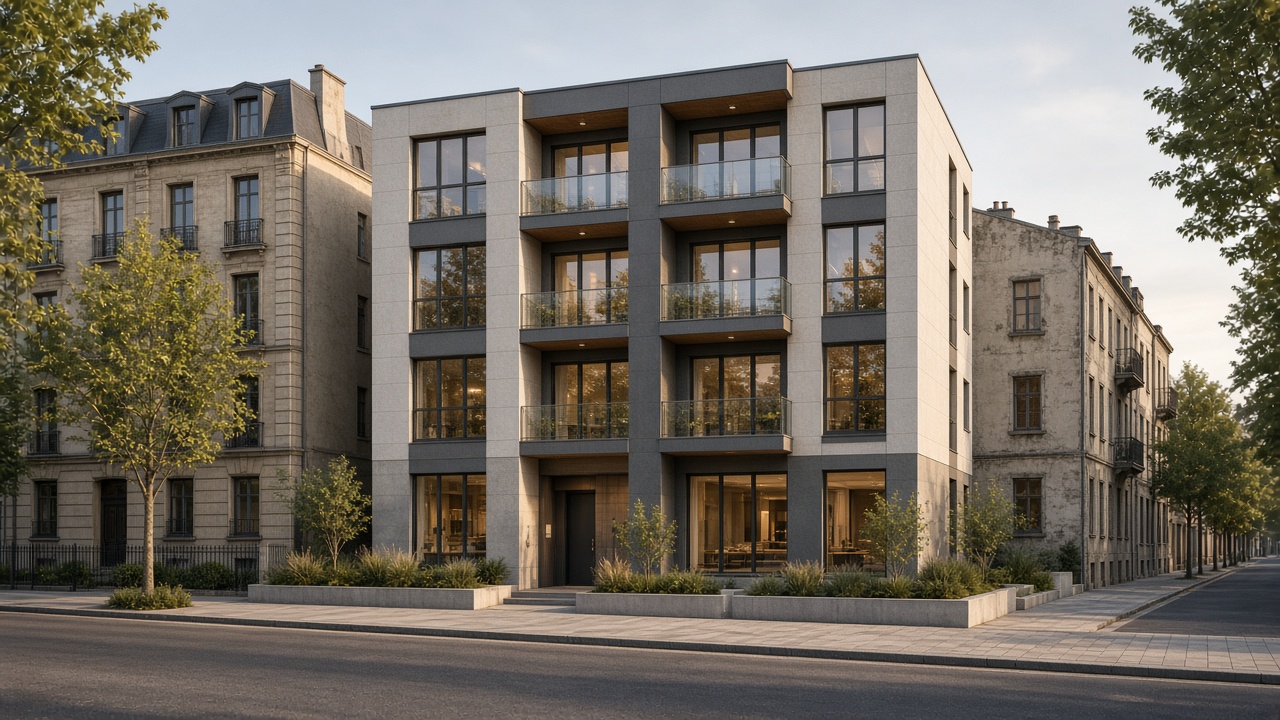
Modern apartment building visualized in its surrounding urban street
Placed on siteBuilding aligned to surrounding context
N ↑
☼ Real sun · 16:30

From geometry to atmosphere

One model. Many ways to present it.

Frame the space once, explore visual directions and keep the geometry behind every decision.

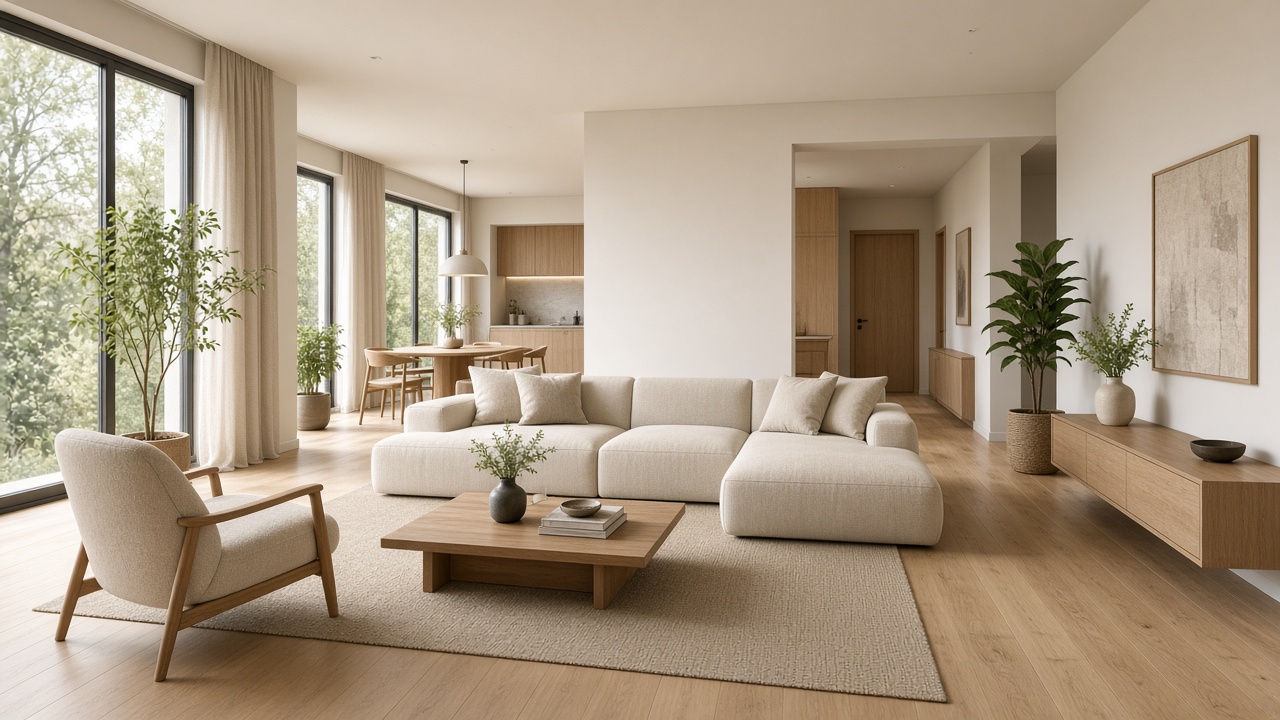
Warm minimalist living room visualization with oak finishes and natural daylight
Open-plan livingWarm minimalism · 2K

Illustrative visualization examples. Every result depends on the source model, selected view and generation direction.

Built for property workflows

One spatial source. Different business outcomes.

Use the same model to make a listing clearer, align a renovation, communicate a development or create campaign imagery.

01

Real estate agents

Turn an old listing plan into a furnished 3D story buyers can understand before the first viewing.

Clearer listing presentation
02

Property developers

Create interior and exterior visuals from early plans or an existing IFC model while the project is still evolving.

Faster pre-sales content
03

Architects & BIM teams

Open an IFC model for browser-based review, isolate floors or rooms and prepare stakeholder-friendly views.

Less presentation rework
04

Renovation teams

Rebuild a legacy drawing, correct the layout and test furnishing or staging directions before committing.

Quicker spatial decisions
05

Property managers

Create understandable room and unit views from the building information already in your portfolio.

More usable property records
06

Marketing studios

Produce multiple camera angles and visual styles without coordinating a fresh modelling brief for every image.

More content from one model

A shorter path to the result

Replace the handoff chain with one workspace.

Traditional workflows often separate tracing, modelling, furnishing, site context and rendering. AIXpose keeps those decisions together.

WorkflowAIXpose FloorplansFragmented workflow
Source✓2D drawing or IFC modelManual redraw or new modelling brief
Setup✓Browser-based workspaceMultiple desktop applications
Geometry✓Editable and versionedStatic image or disconnected files
Furnishing✓AI-assisted, then fully adjustableManual staging and coordination
Site context✓Map placement and real sunlightGeneric background or separate scene
Delivery✓Model files, captures and final imagesAnother export and handoff
GLBPortable 3DOBJUniversal mesh4KPresentation image

Keep the useful parts

Download the model. Keep every view.

The final image is not a dead end. Use the model elsewhere, return to a saved camera or create another visual direction from the same source.

  • 01GLB and OBJ model downloads
  • 02Restorable cameras and captured views
  • 03Saved model versions and adjustments
  • 04Interior and exterior images up to 4K

Straight answers

Floor plan and IFC questions.

What the system does, what it accepts and where professional review still matters.

01What does AIXpose Floorplans do?

AIXpose turns a 2D floor plan image into an editable 3D layout, or opens a supported IFC building model directly. You can adjust the space, furnish rooms, place an IFC building in real surroundings, capture views and create staged interior or exterior images in the same browser workflow.

02Can I really create a staged view in under five minutes?

The workflow is designed for a sub-five-minute first staged view on clear, simple floor plans because measurement, basic furnishing and enhancement are automated. Actual time varies with drawing quality, building complexity, room count and output quality, so five minutes is a target rather than a guarantee.

03Which IFC files are supported?

The app accepts plain .ifc files using IFC2x3, IFC4 and supported IFC4.x schemas. Older IFC versions are refused with guidance to export again. IFCZIP and IFCXML are not currently accepted.

04Can I correct what AI reads from my floor plan?

Yes. The 2D editor keeps the source drawing under the measured layout. You can move, draw and split walls; add or change doors and windows; reshape rooms; adjust scale and alignment; place furniture; then save a new version.

05Does AI furnish every room automatically?

You can ask AI to furnish empty rooms based on their type and layout, then move, rotate, replace or remove each item. Rooms that already contain furniture can be left unchanged.

06Can an IFC building be shown in its actual location?

Yes. When location data is available—or after you place the building on the map—the editor can show surrounding streets and buildings, orient the model to north and calculate sunlight for the selected date and time.

07What can I export or download?

The 2D reconstruction workflow creates GLB and OBJ model files. You can also save captures and download generated interior or exterior images in the selected quality. IFC versions can produce GLB and OBJ downloads with intentionally hidden parts removed.

08Does this replace an architect or interior designer?

It replaces much of the repetitive modelling, furnishing and visualization handoff for marketing and early decisions. It does not replace licensed design, structural, code, accessibility or construction review where professional judgment and approvals are required.

Build the first version now

Drop in the plan you already have.

Start with a drawing or IFC model. The workspace opens as soon as your files are saved, and each plan becomes its own model sheet.

  • PNG, JPG, WebP or plain IFC
  • Several floor plans can be uploaded together
  • No modelling software to install

Your upload starts a private project workspace. Do not upload files you are not authorized to use.